
Inspiration for photography often comes in the strangest ways. I LOVE lifestyle photography, so I’m often trying to think of “scenes” to set up to capture great moments. I had this thought a few months ago that I still haven’t done yet, sheerly because I think of it at the wrong times. When I have a teen or a couple, I want to have a basket full of apples for them. Not just to hold as a prop, but I want to photograph them sinking their teeth into an apple. Weird, huh? Not JUST the moment of the bite, but the before and the after. The laughter that comes from that person being photographed in an awkward moment such as biting into an apple with juices oozing. The scene has played in my mind and the images are awesome! I love freezing action, the simple yet beautiful things in life. Then they could also juggle the apple. Think of the fun expressions I could capture of someone juggling…then dropping the apples.
Think of a color. What is your favorite color? I personally love orange. I loved orange before everyone else thought it was cool. So I am doing some home decor with bits of orange weaved throughout. I had seen split peas displayed in glass jars and I loved the texture and look of it. I was chatting with my friend Liz that I wanted something orange and she said, “There are orange lentils!” To which I excitedly replied, “what?!?” I needed to know where to find them. I hopped onto google and typed in Orange Lentils and came up with this heavenly display:
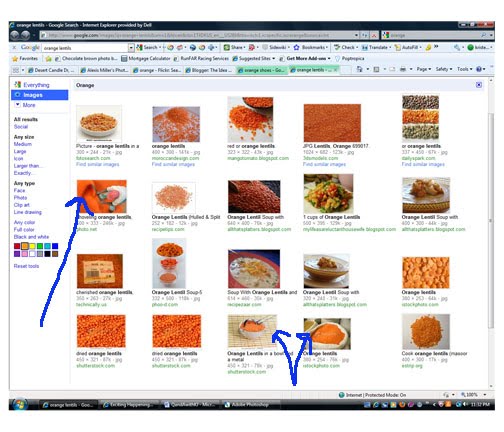
{Google orange lentils to see a more up close look} Not only do orange lentils truly exist, but there is beautiful photography with orange lentils! I was especially mesmerized with this man standing in them, shoveling them. Then the artistic way they are displayed in bowls got me thinking that I wanted to set up the lentils for a photo shoot. Ok, before you go thinking I’m completely crazy, I’ll give another inspirational example.
My home decor theme is “citrus” by default of the colors I love. I had a vase of oranges, lemons, and limes and have wanted to photograph them all together, but unsure of the setup. I google those three words and got this:
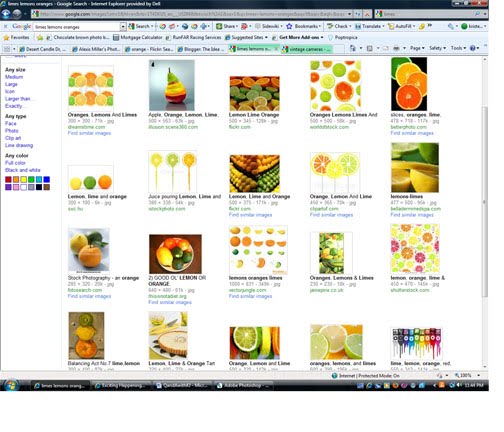
Then I typed in citrus and got a completely different set of images–this is SO fun!
Although my purpose for looking up these images is to create still art, I often get ideas for photographing people from the train of thought that starts somewhere else.
Think of a prop you have and want to use and google that prop. A parasol, I found ideas on how to photograph them here.
I LOVE perusing the blogs of other photographers. Here are some of my favorites:
Bend the Light Texas
Dustin Izatt Utah
Jessica Claire California
Rebekah Westover Utah–go into her archives, she is probably my favorite
Peekaboo Photography Utah
Audrey Woulard Illinois
Keep a photography inspiration notebook handy to jot down ideas as they come to you at the most random times.
Do you feel a bit more inspired? I’d love to see links of photographers that inspire you or what you googled and found inspiration from! Any great props or scenes you’ve thought of setting up? Share with me!
Kristen
P.S. Someone asked about black and white conversions–I do not make my own, I got an action from someone a long time ago. Look over websites that sell/share actions and find a black and white that you like and get it!







Okay, so you're truly *the* most inspirational blogger I've read. I love your ideas, the way you make something so artistic and complex understandable to us rookies. Thank you so much for your inspiration!
Jenn & Kaylinn of Bend the Light are the most amazing photographers. I was so happy to see that you love them too. They photographed our wedding and are so talented.
I love inspiration, Kristen, I'm with you – colors, textures, quirky objects, wildflowers, they inpire me! And so do you!
I photographed my five kids once, holding apples & oranges.. it was the only way to get the then-one-year-old to stay in the photo. And it worked!
People doing the things they do is probably my absolute favorite .. The hands of a potter in action, a girl with her accordian. Musical instruments. My husband is a carpenter, I should capture more photos of him constructing & with that giant hammer he's been swinging for years & years. I love those. Those are photos I'd like to have for our kids & grandkids to look back on. I've always loved old photos, it's like treasure land for me, going through the photos of my grandparents & great grand parents.. farm photos, plowing dirt, great grandma in her apron, my grandpa was a pilot, I love the photos of him next to his plane.. brings back memories of flying with him when I was a little girl.
My twelve year old twin boys almost never go a moment without a football intheir hands, and I love to capture that – it tells about them at this time.
I'm going to be shooting some photos of a highschool senior next week, and I've been dreaming up scenerios. She loves to read, her family is probably very used to seeing her with her nose in a book.. it might be one of those subtle things that kind of goes unnoticed. I've been wondering if it would be wierd to do senior photos of her, maybe in our field of daisies, lost in the pages of an open book. Going to give it a try, anyway. :)
My grandma turns 85 in July. When I think of her, I think of her either crocheting or playing solitaire… Grandma ALWAYS has a deck of cards on her kitchen table & even more often, a game in action. I just realized I'd like to photograph that. Her with her cards in hand.
Oh, the thought flow is endless. :)
Thanks for another great post!
Thanks so much for all of your ideas and your help! I love reading all of your posts and learning from you. Do you have any favorite online pro labs we can send our pics to? Thanks again!
Just wanted to let you know Kristen that I really enjoy and appreciate your weekly posts. I just purchased my first "real" camera and am realizing there is SO MUCH to learn. I'm excited!
Thanks everyone! I am honored to be able to inspire you:)
Debra-wow on your kind words. I hope I can live up to them.
Jackie–how fun that you were photographed by Jenn adn Kaylinn, I haven't met them.
Amanda-I think the book is a great idea if she loves them. On her tummy with her ankles crossed…on her back….on a bench…let me know when you post them! And for sure capture your hubby and grandma with the things they love.
Amy–the lab that I recommend is http://www.mpix.com They do a great job for a non pro lab. Pro labs require a biz license, but they partner with a pro lab, so you get that consistancy in prints.
Hannah–yay on the new camera! Be patient with the process:)
Thank you so much Kristen! I am excited to give mpix a try!
Thank you so much for all your wonderful posts! I love to read them and they always give me something to think about and so many great new ideas. :)
I love it when other photographers list who inspires them…the main one that I follow is Jasmine Star…and I'm not even a wedding photography, but she is so open and honest with her trials and tribulations that it's nice to read someone who is so successful admit they still struggle. :) Thank you for posting who inspires you, I look forward to checking them out.
Can't wait for next weeks post!